Add Websites
Crawl and import website content into your expert.
With Respeak you can add websites as a knowledge source for your expert. The content of the specified pages is automatically crawled and processed.
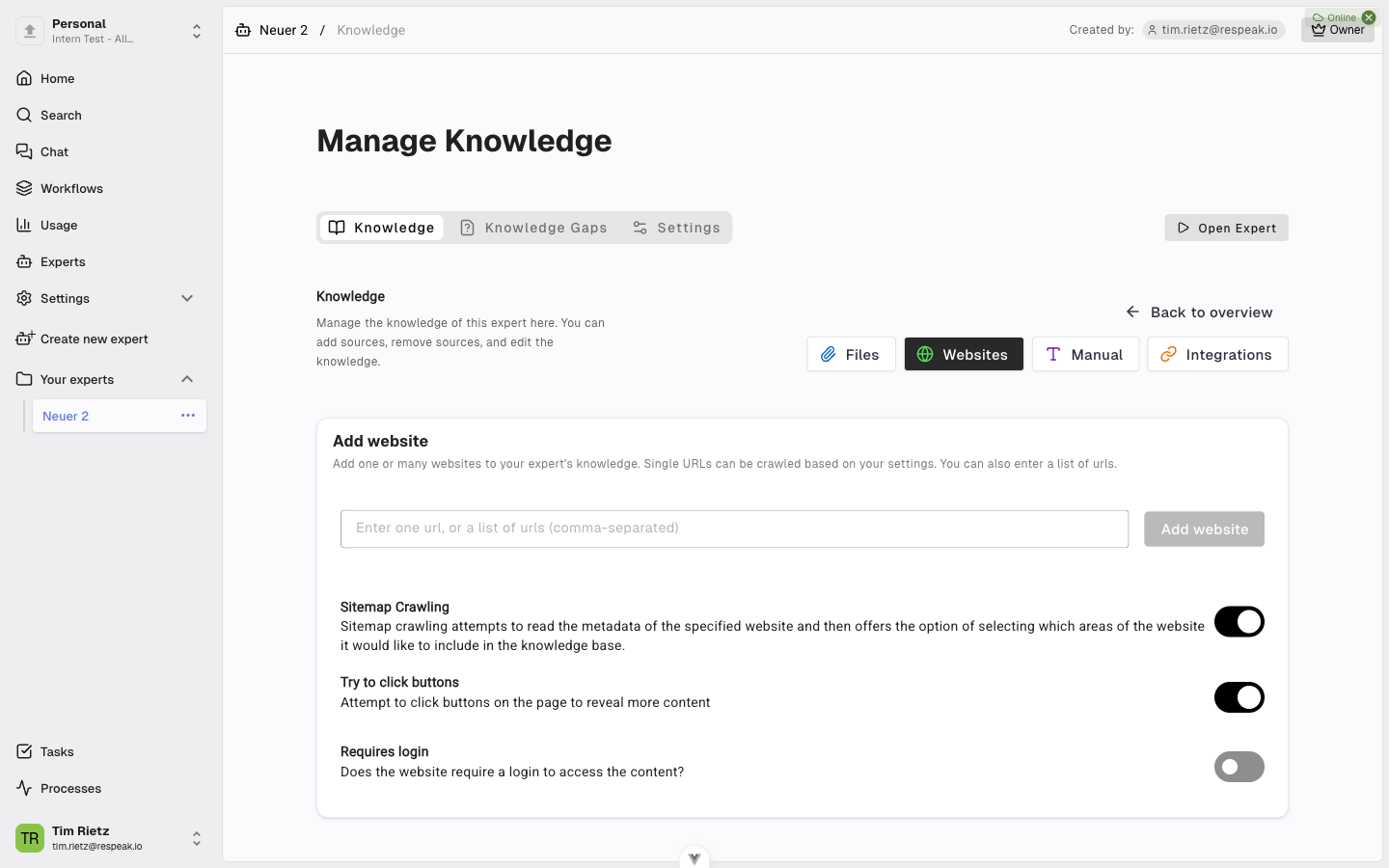
How to Get to the Websites Section
Open your expert, go to Settings > Knowledge, and click the Websites button.
Enter URLs
Type the address of the desired website into the input field (e.g. https://www.example.com). You can also enter multiple URLs at once, separated by commas or line breaks.
Crawl Settings
When adding a single URL you have two approaches:
Sitemap Crawling (recommended)
By default, Sitemap Crawling is enabled. Respeak reads the website's sitemap - a directory that describes the structure of the site. You can then select exactly which areas of the website should be included in the knowledge base.
Manual Crawling
If you disable sitemap crawling, you can manually specify how deep and how wide the crawl should go. Crawl depth determines how many sublevels from the entered URL should be crawled. Crawl amount sets how many pages in total should be crawled.
When you enter multiple URLs, crawling is disabled - each URL is processed individually as a standalone page.
Preview the Site Structure
Before starting the crawl, you can preview the structure of the website. Respeak shows you an overview of the pages and links it found, so you can choose exactly which pages to include.
Protected Websites
If the website requires a login, enable the Website requires login option and enter the following information:
Enter credentials
Provide the Login page URL (the address of the login page), along with your Username and Password.
Provide selectors
Enter the Selectors - technical details that describe where the input fields are located on the login page.
If you are unsure about the selectors, contact your administrator.
Additional Options
Try to click buttons - When enabled, Respeak attempts to click buttons on the page to reveal hidden content. This is useful for pages that load content only after a click.
Skip existing content - When enabled, only pages that have not yet been crawled for this expert will be processed.
Start Processing
Click Add website to start the crawl. Respeak reads and processes the content of the specified pages. Depending on the size of the website, this may take a few minutes. You can track the progress in real time.