Test Before You Publish
Walk through the dialog, check branching, and verify how the bot behaves.
Reading through your dialog in the Edit module tells you what it should do. Testing tells you what it actually does. The Test module runs your dialog in the very same chat interface a participant uses, so you can answer your own questions, watch the bot react, and follow the flow from start to finish.
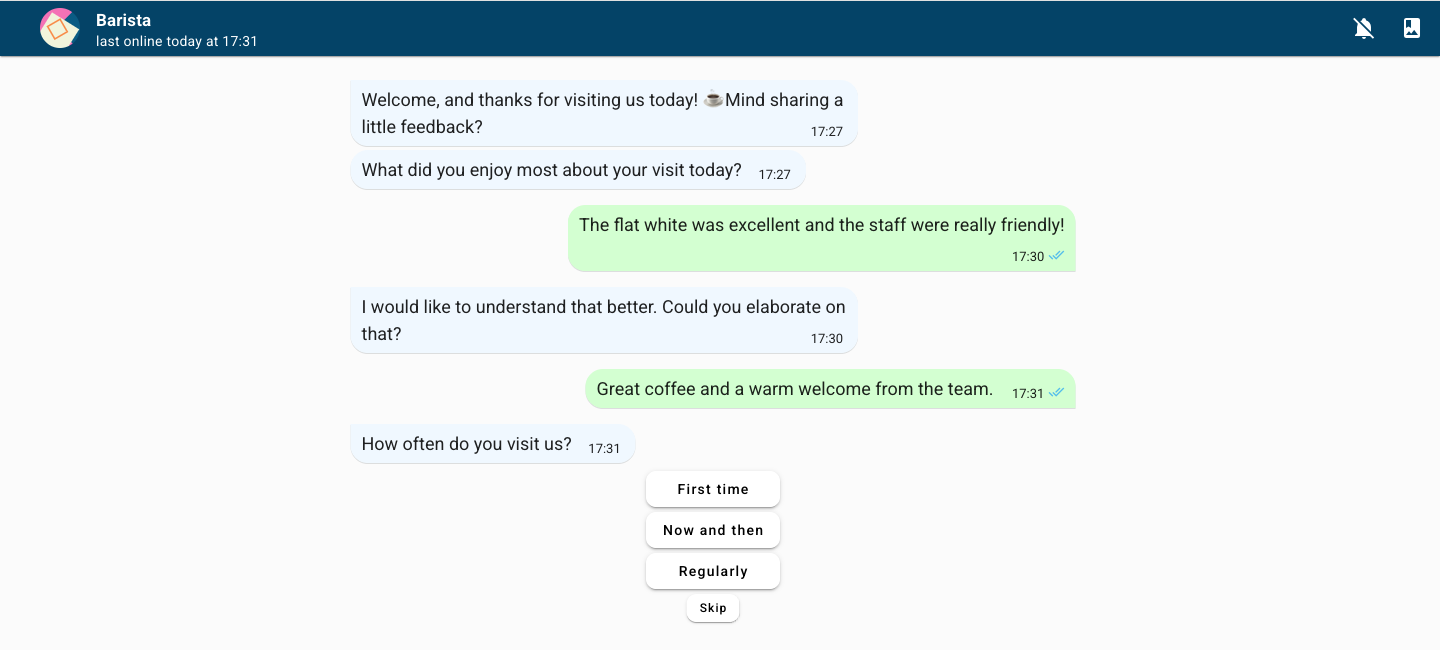
Testing is private. Running your dialog in Test does not publish it and does not expose it to anyone else. Publishing happens later in the Share module, when you decide your dialog is ready.
Walk through it as a participant
Open the Test module
Open your dialog and switch to the Test module. Your dialog loads in the participant chat interface, just as it will appear to the people you invite.
Answer the questions
Work through the conversation the way a real participant would. Type free-text replies, choose options, and respond to each block the bot sends.
Try different answers
Go through more than once and answer differently each time. This is the best way to see how your flow branches — that the right follow-ups appear, that jumps land where you intended, and that no path leaves a participant stuck.
Check the bot's reactions
For open questions, watch how the bot responds to your free-text answers. If a reply is misread or the wrong follow-up fires, the bot needs more training data. You can also check matches up front in the Train module's evaluation view.
What to look for
As you test, keep an eye on:
Wording — questions and bot messages read clearly and in the right tone.
Flow and branching — every answer leads somewhere sensible, with no dead ends or unexpected jumps.
Bot reactions — free-text answers are understood and trigger the right follow-up.
Design and media — colours, background, avatar, and any images, audio, or video appear as intended.
The ending — the dialog closes the way you expect, with the right final message.
When the bot misreads answers, go back to Train and add examples. When wording or flow feels off, return to Edit and adjust. Test again until the conversation feels right.
When everything behaves the way you want, head to Share to publish your dialog and start collecting real responses.